A consistent model helps a catalog feel like one brand rather than a collection of unrelated images. This guide shows how to define, save, and reuse a model across products and campaigns.
Create Your Own Model lets you generate model images with the exact age range, style, and mood you want — right inside LaonGEN. Each one auto-saves to My Assets so you can pull it into the next lookbook with a tap.
Who’s this for? 👀
- Anyone needing models that match a specific brand mood
- Users whose ideal vibe isn’t in the recommended models
- Teams setting up signature models they’ll reuse a lot
Before you start 🧰
| Item | Required | Notes |
|---|---|---|
| Mood keywords | Required | Text describing the model vibe you want. |
| Reference image | Optional | Helps lock in the mood more precisely. |
How to create a model
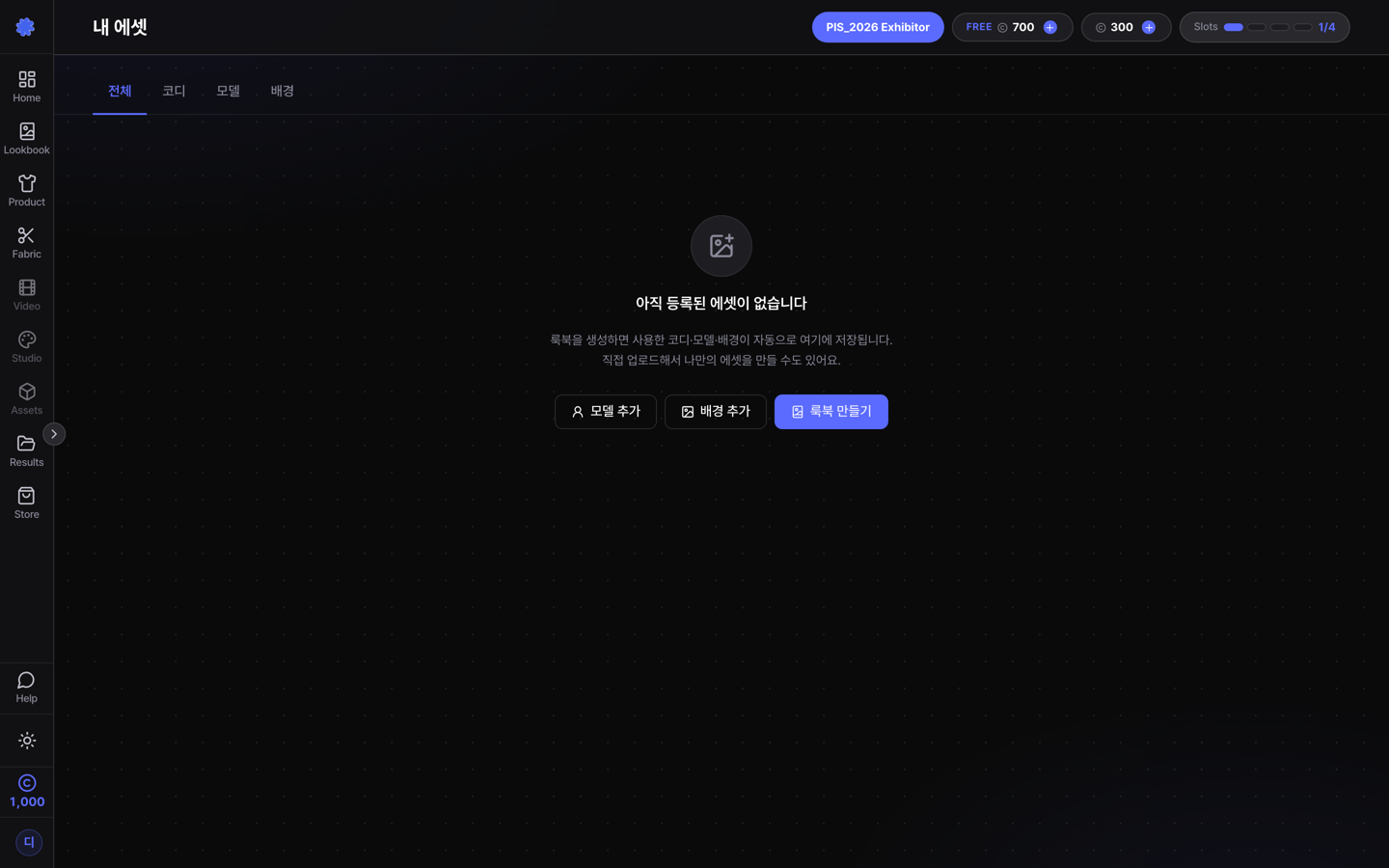
STEP 1. My Assets → Model → Add Model 📍
STEP 2. Set gender, age, and style 🎨
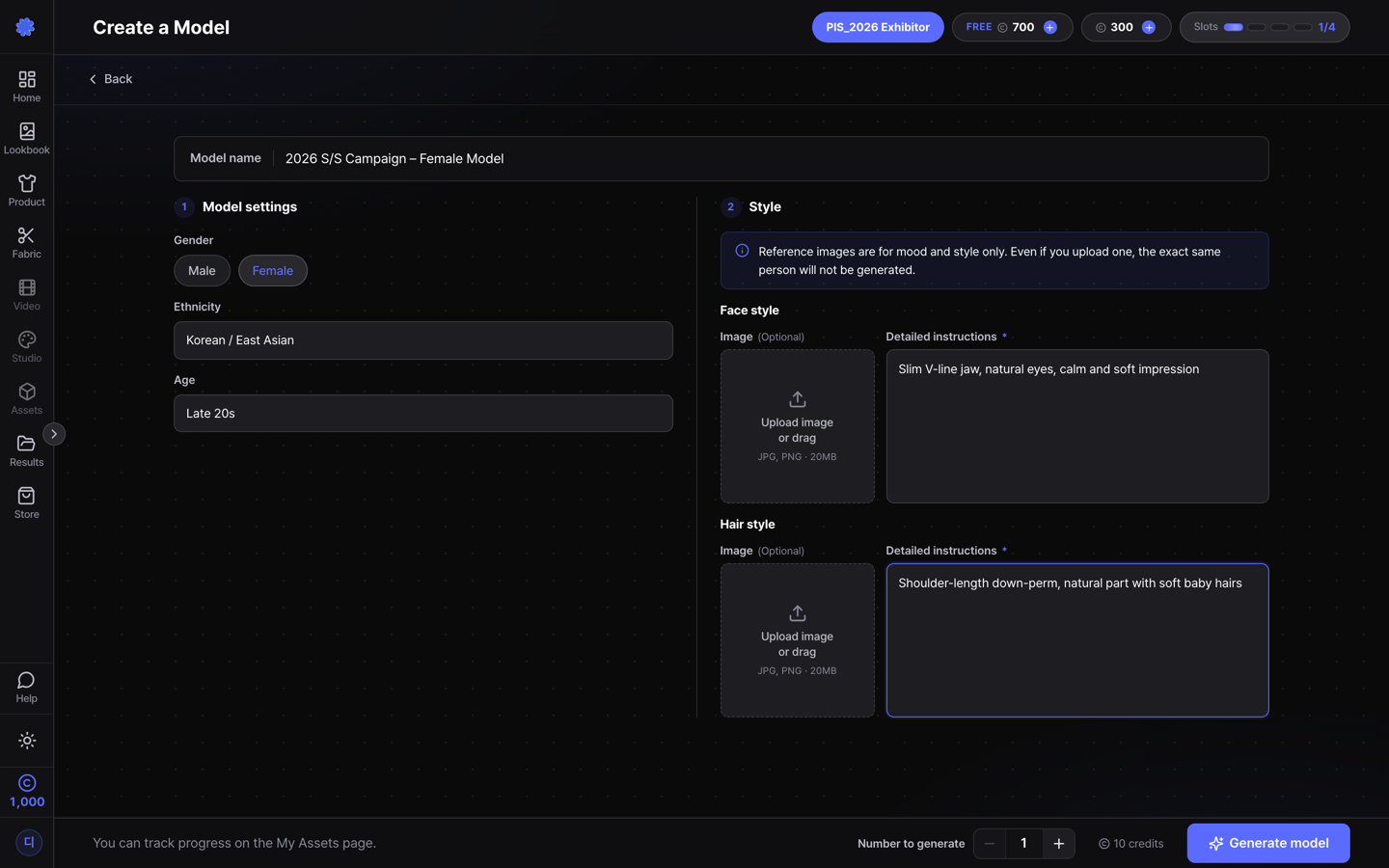
💡 Reference image tip! If you have a specific mood in mind, you can attach a reference image. It’s used only as a style and mood reference — the uploaded image won’t be reproduced exactly. Spelling out the details in text makes the result more accurate.
STEP 3. Hit Generate 👇

STEP 4. Find it in My Assets ✅
The generated model is auto-saved under My Assets > Model.
Pre-flight checklist ✅
- Are your mood keywords clear and specific?
- If you added a reference image, is its mood consistent?
- Does it fit the outfit and background tone you’ll pair it with?
Related guides 📚
Build a brand-exclusive model once and every lookbook after gets faster. Ready to design one? 👇